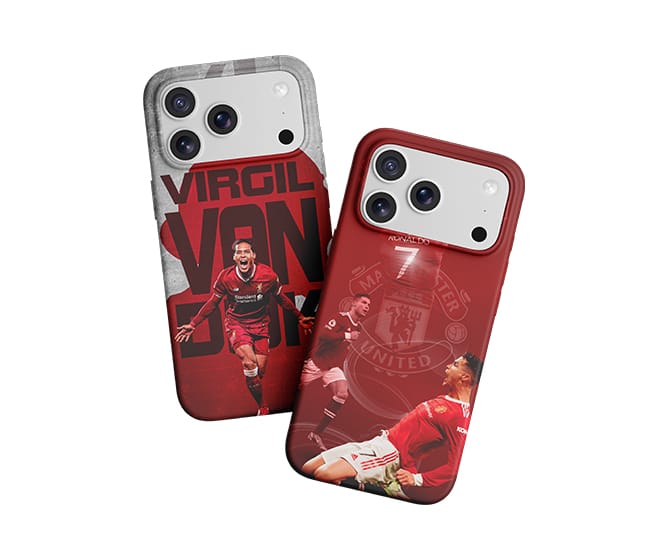
Printing on black phone cases requires more than choosing the right design. Because the surface is dark, ordinary CMYK inks cannot produce bright colors on their own. White ink is used as a base layer to help colors stand out and maintain better visual contrast.
However, the final result depends on the case material, ink compatibility, print settings, and surface preparation.
Why White Ink Is Necessary
On a white phone case, colored UV inks can appear relatively close to their intended colors because the substrate reflects light through the printed design. On a black case, the dark background absorbs much of that visual effect, making colors look dull or nearly invisible.
A white ink underbase creates a lighter background beneath the color layer. This helps preserve color intensity, especially for bright logos, photographs, and detailed graphics.
Prepare the Phone Case Surface
Before printing, identify the case material. Common options include ABS, polycarbonate (PC), TPU, and cases with painted or soft-touch coatings. Each may have different ink adhesion characteristics.
Clean the surface using a method compatible with the material, and make sure it is free from dust, oil, and fingerprints. Some plastics or coated cases may require a compatible primer or pretreatment.
If you are printing on a new case type, test a sample before moving to bulk production. A successful result on one material does not guarantee the same adhesion on another.

Set Up the White Ink Layer
Most UV printing workflows use white ink beneath the CMYK color layer when printing on dark materials.
The exact setup depends on the printer and RIP software, but the main considerations are:
- White ink density: Provide sufficient coverage without applying more ink than necessary.
- Layer sequence: Configure the white underbase and color layers according to the intended printing effect and the equipment’s supported workflow.
- Registration: Keep the white layer aligned with the color image to prevent visible white edges around the design.
- Curing: Use the ink manufacturer’s recommended curing conditions to achieve the intended print properties.
Run a small test print first. If the colors appear dull, check white coverage and alignment before changing multiple parameters at once.
Choose the Right Printing Settings
The appropriate resolution, pass count, print speed, and ink output depend on the printer, artwork, and production requirements. Fine text and detailed logos may need a different setup from large solid-color graphics.
Keep the phone case flat and securely positioned on the print bed. Consistent positioning helps maintain alignment across multiple cases and reduces the risk of printhead contact.
For repeat orders, save the settings that produce an acceptable result and record the case material and ink configuration.
Check the Finished Print
After printing, inspect the case under normal lighting. Look for uneven white coverage, color gaps, misalignment, and visible banding. Check the printed surface for adhesion using a suitable test method after the recommended stabilization period.
If the ink peels or scratches off easily, investigate material compatibility, surface preparation, and curing conditions. Increasing white ink density alone will not resolve an adhesion problem.
Choosing a UV Printer for Phone Case Printing
For businesses producing customized phone cases, a desktop UV flatbed printer can be suitable for short runs, personalized designs, and small-batch production. Before choosing a machine, check the usable print area, white ink functionality, supported materials, positioning method, and maintenance requirements.
The best results come from matching the printer and ink system to the actual phone cases being produced. Testing the complete process—from surface preparation to final adhesion—is the most reliable way to establish a repeatable workflow.