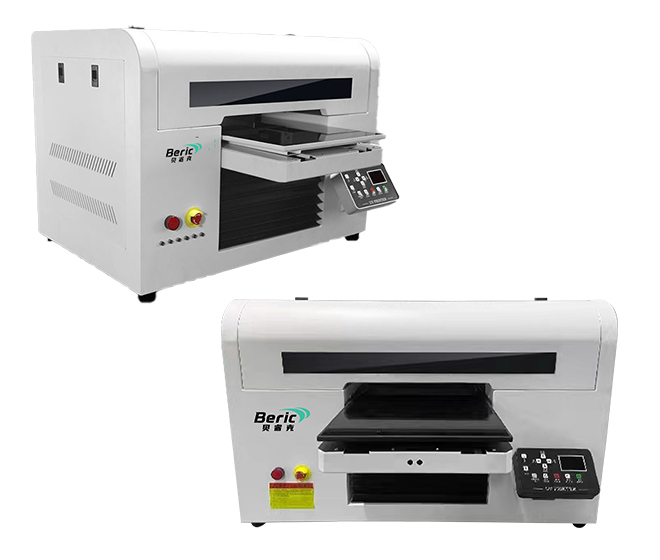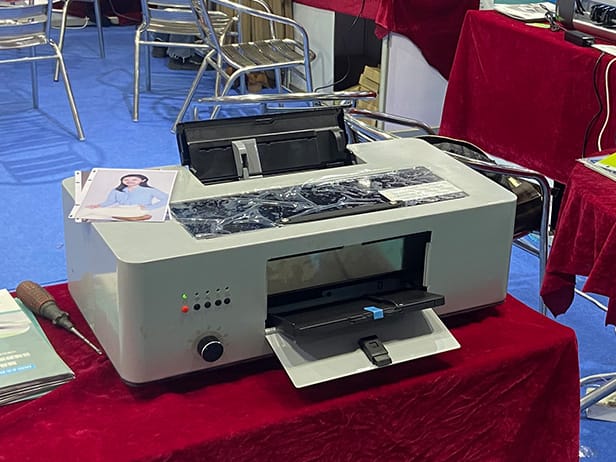
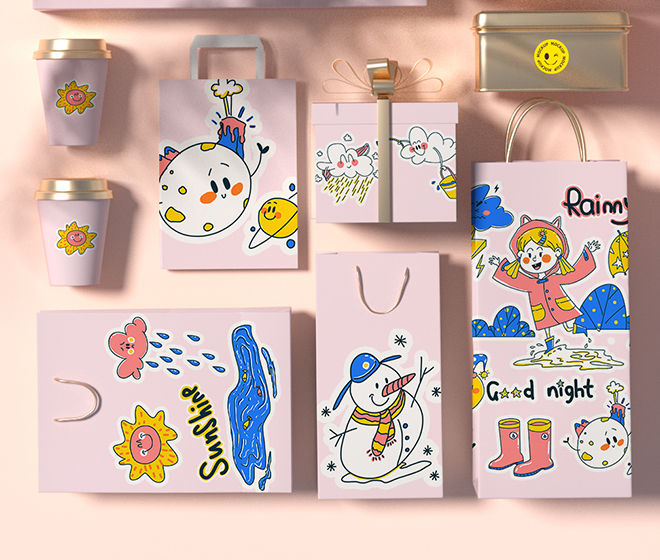
Print quality on a UV printing machine is influenced by printhead condition, ink delivery, UV curing, media preparation, printing parameters, and machine maintenance. Poor image sharpness, banding, uneven colors, ink adhesion problems, and white ink inconsistencies can often be reduced through proper machine setup and regular maintenance.
Printhead Condition and Nozzle Performance
A clean and properly functioning printhead is essential for consistent UV printing.
Regular nozzle checks can identify missing or misfiring nozzles before they affect production. If nozzle loss appears, inspect the printhead surface, capping station, wiper, and ink supply system.
Keeping the printhead at the correct height can also improve ink placement and reduce image distortion, particularly when printing on uneven substrates.
UV Ink Quality and Ink Supply
UV ink quality directly affects color accuracy, adhesion, gloss, and image durability.
Use UV ink that is compatible with the printer, printhead, and curing system. Mixing incompatible ink systems can result in unstable printing performance, poor adhesion, or printhead problems.
The ink supply system should also provide stable ink pressure and consistent ink flow during printing.
White Ink Circulation and Maintenance
White ink requires particular attention because its pigments can settle more easily than standard CMYK inks.
An effective white ink circulation system helps maintain pigment distribution and reduces sedimentation. Regular circulation, agitation, and maintenance can help maintain consistent white ink density.
Before production, check for:
- White ink sedimentation
- Uneven white coverage
- Blocked nozzles
- Ink pressure fluctuations
- Irregular white ink flow
These checks are especially important when using white ink for dark or transparent materials.
UV LED Curing Adjustment
UV curing directly affects ink adhesion, surface finish, and durability.
Insufficient curing can cause problems such as poor adhesion, soft surfaces, or incomplete curing. Excessive curing may affect the appearance of certain materials and can increase heat exposure.
The UV LED power and printing speed should be matched to the ink, substrate, and printing mode.
A stable curing system is particularly important when printing high-density graphics or multiple ink layers.
Printing Resolution and Pass Settings
Higher resolution does not automatically produce better results.
The appropriate resolution and pass mode should be selected according to the application. Increasing the number of passes can improve image smoothness and reduce visible banding, although it may reduce production speed.
For detailed graphics and photographs, higher-quality printing modes are generally more suitable. For large-format graphics viewed from a distance, a faster production mode may provide sufficient quality.
Media Surface Preparation
The printing surface should be clean, dry, and free from dust, oil, moisture, and other contaminants.
Different substrates have different surface properties, and some materials may require primer or other surface treatment to improve ink adhesion.
Before full production, perform a test print on the actual material to confirm:
- Ink adhesion
- Color performance
- Curing condition
- Surface appearance
- Scratch resistance
Correct Printhead Height
Printhead distance from the substrate can significantly affect print quality.
If the printhead is positioned too far from the material, ink droplets may become less accurately placed, reducing sharpness and increasing the possibility of misting.
If the printhead is too close, there is a greater risk of contact with uneven media.
Maintaining the recommended printhead height helps achieve consistent dot placement and image clarity.
Color Management and RIP Settings
RIP software plays an important role in color reproduction.
Incorrect ICC profiles, ink limits, color modes, or density settings can cause inaccurate colors and inconsistent output.
For repeatable production, use appropriate color profiles and maintain consistent settings for the same substrate and ink combination.
Different materials may require separate color profiles because surface characteristics can affect the final appearance.
Bidirectional Printing Calibration
Bidirectional printing can significantly increase production speed, but incorrect calibration may result in blurry images, color misalignment, or horizontal shadows.
The bidirectional alignment should be calibrated according to the actual printhead configuration and printing speed.
If fine text or detailed graphics appear blurred, checking bidirectional alignment should be one of the first troubleshooting steps.
Banding and Uneven Printing
Visible horizontal lines are often related to nozzle condition, pass settings, media feeding, printhead alignment, or ink flow.
Common areas to inspect include:
- Printhead nozzles
- Ink dampers
- Ink pumps
- Capping station
- Media feeding system
- Printhead alignment
- Pass mode
- Printing speed
Reducing printing speed or increasing the number of passes can sometimes improve image uniformity, but the underlying mechanical or ink-delivery problem should also be identified.
Regular UV Printer Maintenance
Consistent maintenance is one of the most effective ways to maintain print quality.
A regular maintenance routine should include:
- Daily nozzle checks
- Printhead cleaning
- Wiper and capping station inspection
- Ink system inspection
- UV lamp or LED cleaning
- Vacuum table cleaning
- Media path cleaning
- Ink filter inspection
- Periodic calibration
Maintenance intervals should follow the printer manufacturer’s recommendations and actual production conditions.
Stable Printing Environment
Temperature and humidity can influence ink viscosity, ink flow, and printing consistency.
A stable operating environment helps maintain predictable ink performance and reduces variations between different production batches.
Avoid placing the printer in an environment with excessive dust, direct sunlight, large temperature changes, or uncontrolled humidity.
Test Printing Before Production
A small test print can prevent significant production losses.
Before a large batch, check nozzle status, color accuracy, ink adhesion, curing, image alignment, and surface finish.
For a new substrate or new ink batch, establish suitable printing parameters through testing before starting mass production.
Improving UV Printing Quality Step by Step
For persistent quality problems, check the printing process systematically:
- Perform a nozzle check.
- Clean the printhead and maintenance components.
- Check ink levels and ink flow.
- Inspect the white ink circulation system.
- Verify printhead height.
- Check bidirectional alignment.
- Adjust resolution and pass settings.
- Confirm UV curing parameters.
- Check media surface preparation.
- Review RIP and color management settings.
- Run a test print.
- Compare the result with the required production standard.
Conclusion
Improving UV printing quality requires more than increasing resolution or printing speed. Printhead condition, ink quality, UV curing, media preparation, calibration, RIP settings, and regular maintenance all contribute to the final result.
A well-maintained UV printing machine with properly matched ink, substrate, and printing parameters can produce sharper images, more consistent colors, stronger ink adhesion, and more stable production performance.